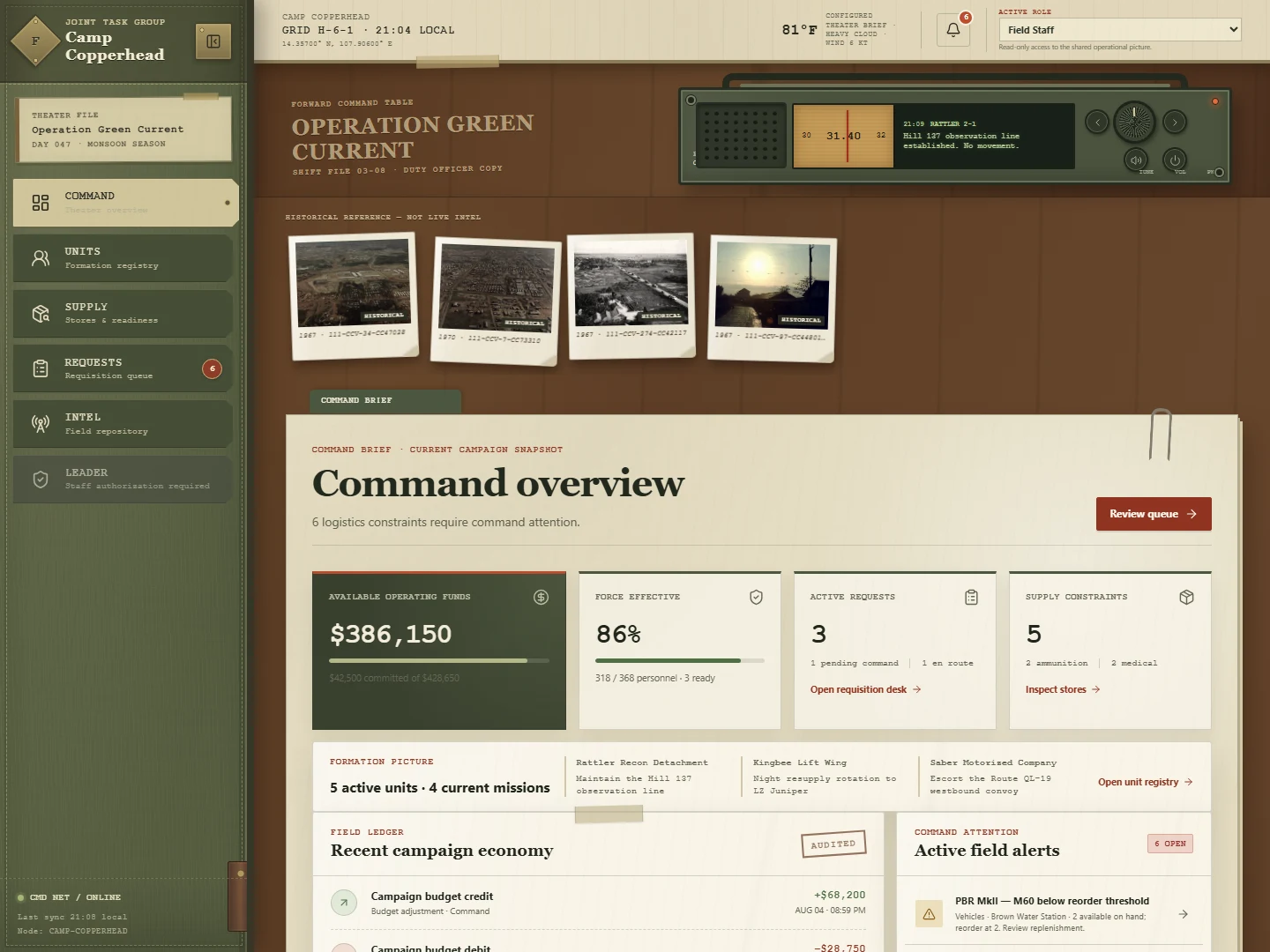
Command overview
Track available and committed budget, pending requests, alerts, weather, control, and the chronological ledger.
 Campaign Quartermaster
Field Operations System
GitHub sourceSource
Self-hosted campaign companion
Campaign Quartermaster gives cooperative groups a durable operational picture between sessions: budgets, requisitions, supplies, unit readiness, intelligence, theater control, and a complete command ledger.
Source release; no binary installer is claimed. Review the release and requirements before installing.
Private by deploymentCampaign state stays on the host you control.
Built for the whole staffFive focused roles share one operational picture.
Ready between sessionsDecisions, stock, and unit state persist.
Field reports
Select any audited application screenshot for a larger view.
Operational picture
Track available and committed budget, pending requests, alerts, weather, control, and the chronological ledger.
Keep catalog definitions separate from stock, then approve, dispatch, deliver, or deny requests without losing the audit trail.
Maintain formations, callsigns, specialties, personnel, notes, and durable vehicle or support allocations.
Draft and publish geolocated records with classification, confidence, tags, and optional bounded field imagery.
Use locally rendered Natural Earth geography, campaign overlays, grid references, sector status, and one persistent primary FOB.
SQLite-backed revisions, optimistic concurrency, immutable security events, and role-derived operators protect campaign integrity.
Allied platform catalog
The bundled catalog consolidates 39 visible platform cards, 63 verified allied variants, and 305 official config classes. Service, role, cost, eligibility, and exact class identifiers stay attached to every variant.
Review catalog provenanceRoles and security
Campaign Quartermaster uses five campaign roles rather than personal accounts. Privileged passwords are stored as Argon2id hashes, sessions lock after inactivity, and every write is checked against the current role, CSRF token, origin, content type, body limit, and campaign revision.
Read the security modelDeploy on your own ground
Choose Docker Compose on an ordinary Linux host or a native, unprivileged Debian 12 LXC on Proxmox VE. Both preserve state, start automatically, wait for health, and print a unique setup secret only on the first successful installation.
Requires Docker Engine, Compose v2, root access, and outbound HTTPS.
Quick install asks one optional public HTTPS URL, then keeps the
service on 127.0.0.1:8484. Blank preserves local access;
advanced mode adds validated resource overrides.
sudo bash -o pipefail -c \
  'curl -fsSL https://github.com/Mptower/campaign-quartermaster/releases/download/v1.2.2/install-docker.sh | bash'
Run as root on a Proxmox VE host. Quick install creates a protected,
one-CPU LXC with 1 GiB RAM, 1 GiB swap, and 8 GiB disk. One optional
public HTTPS URL configures a reverse proxy on first boot; blank keeps
direct guest-IP:8484. An existing whiptail
provides a guided blue terminal wizard with a plain-text fallback.
Nothing is bound on the PVE host.
bash -c 'set -Eeuo pipefail; umask 077; tmp="$(mktemp -d)"; cleanup() { rm -rf -- "$tmp"; }; trap cleanup EXIT; base="https://github.com/Mptower/campaign-quartermaster/releases/download/v1.2.2"; for file in proxmox-install.sh proxmox-install.sh.sha256 proxmox-common.sh proxmox-common.sh.sha256; do curl --fail --show-error --silent --location --proto "=https" --proto-redir "=https" --tlsv1.2 --output "$tmp/$file" "$base/$file"; done; (cd "$tmp"; sha256sum --check --strict proxmox-install.sh.sha256 proxmox-common.sh.sha256); CQ_LIB_PATH="$tmp/proxmox-common.sh" bash "$tmp/proxmox-install.sh"'
Convenient one-liners use fixed v1.2.2 release assets,
never mutable main. For either installer, download its
adjacent .sha256, run
sha256sum --check --strict, and inspect the script before
granting root access.
release=https://github.com/Mptower/campaign-quartermaster/releases/download/v1.2.2
curl -fLO "$release/install-docker.sh"
curl -fLO "$release/install-docker.sh.sha256"
sha256sum --check --strict install-docker.sh.sha256
less install-docker.sh
sudo bash ./install-docker.sh
Setup secrets appear once at successful completion. Do not save them in shell commands, screenshots, logs, issues, or chat. The Proxmox helper prints its unique local TLS certificate fingerprint for verification.
Documentation case
Open source field equipment
Build from public, inspectable source. Keep campaign state on infrastructure your group controls.
Original project code and documentation are available under the MIT License. Dependencies and included data retain their own terms. Arma 3 and S.O.G. Prairie Fire are factual compatibility references; this independent project is not affiliated with, sponsored by, or endorsed by Bohemia Interactive or Savage Game Design. Product names and trademarks belong to their owners. This project is also independent of and not endorsed by Proxmox Server Solutions or the Proxmox community-scripts project. Proxmox is a trademark of Proxmox Server Solutions GmbH. This campaign aid is not for real-world navigation or safety-critical use.
Full credits, licensing, and disclaimer